Resume & CV Services

Land the Job With a Killer Resume

Everything you need to know about resumes and CVs — formats, examples, and professional help to make yours stand out.

6 sec — avg recruiter scan time
75% — resumes rejected by ATS first
1 page — ideal student resume length

Resume vs CV — What's the Difference?

Two documents, two very different purposes. Here's what you need to know before writing a single word.

Resume

A short, targeted snapshot of your skills and experience — typically 1 page — tailored to a specific job opening. Used widely in India, USA, and Canada.

  • 1 page (freshers), max 2 pages for experienced
  • Tailored to each job description (ATS-optimized)
  • Highlights skills, projects, internships, achievements
  • No photo, DOB, or marital status (modern standard)
Best for: Campus placements, internships, tech/corporate jobs

Curriculum Vitae (CV)

A comprehensive academic record — 2 to 5+ pages — covering your entire educational and professional life. Standard in Europe, academia, research, and government roles.

  • 2+ pages, grows with your career — no page limit
  • Includes publications, conferences, awards, grants
  • Full research and academic history, not trimmed
  • May include a photo in EU/Asian applications
Best for: MS/PhD applications, research positions, academic roles

Quick Comparison

Attribute Resume CV
Length1–2 pages2–10+ pages
PurposeJob applicationAcademic / research
ContentSkills, experience, projectsFull academic history
Tailored?✓ Per jobUsually static
PhotoNo (India/US)Sometimes (Europe)
Used inIndia, USA, CanadaEurope, UK, academia
UpdatesFrequently, per roleContinuously as career grows

Which Format Is Right for You?

Three main formats — each built for different career situations. Pick the one that plays to your strengths.

📅

Chronological

Most common format. Lists experience from newest to oldest. Recruiters love it — it tells a clear career story.

Best for: steady work history
ATS-friendly & easy to scan
Sections: Education → Experience → Skills
Most recommended for students
⚙️

Functional / Skills-Based

Focuses on skill clusters rather than job timeline. Ideal when you lack work experience but have strong technical skills.

Best for: freshers, career changers
Highlights transferable skills
Sections: Skills → Projects → Education
Good for portfolio-heavy fields
🔀

Combination / Hybrid

Blends the best of both. Opens with a skills summary, then lists chronological experience. Versatile and powerful.

Best for: mid-career or specializations
Showcases skills AND timeline
Sections: Summary → Skills → Experience
Ideal for internship→fulltime switch

What Goes Inside a Resume?

Each section of your resume has a job. Here's every section explained — with what to include and what to skip.

1

Contact Header

Name (large), phone, email, LinkedIn URL, GitHub/portfolio. City only — no full address.

2

Summary / Objective (optional)

2–3 sentence pitch. What you do, your top skill, and your goal. Skip if fresher — use the space for projects instead.

3

Education

Degree, college, CGPA (if ≥7.5), graduation year. For freshers, this comes before experience.

4

Experience / Internships

Company, role, dates, 2–3 bullet points each. Start every bullet with a strong action verb. Quantify results wherever possible.

5

Projects

Most important for BTech students. Include name, tech stack, 2 bullet points, and GitHub/live link. 2–4 projects max.

6

Technical Skills

Group by category: Languages, Frameworks, Tools, Databases. No soft skills like "teamwork" or "communication" here.

7

Achievements & Certifications

Hackathon wins, competitive coding ranks, relevant certifications (AWS, Google, etc.). Keep it tight — 3–5 bullets max.

Do This

  • Use a clean, single-column or two-column layout with clear visual hierarchy
  • Use action verbs: Built, Developed, Led, Designed, Optimized, Reduced
  • Quantify: "Improved API response by 40%" beats "made faster"
  • Match keywords from the job description (ATS optimization)
  • Export as PDF — never .docx — to preserve formatting
  • Use font size 10–12pt body, 14–16pt name, standard fonts
  • Keep margins between 0.5–1 inch on all sides

Never Do This

  • Add a photo, Aadhar number, or date of birth (in modern resumes)
  • Use "Responsible for..." — it's passive and weak
  • Include hobbies unless directly relevant to the role
  • List every skill you've ever heard of — be honest and precise
  • Use tables, text boxes, graphics — ATS software can't read them
  • Use colored backgrounds or heavy design (unless it's a design role)
  • Write "References available on request" — it wastes space

Resume & CV Examples

Browse real-world examples from trusted sources. Hover over any image to visit the original source.
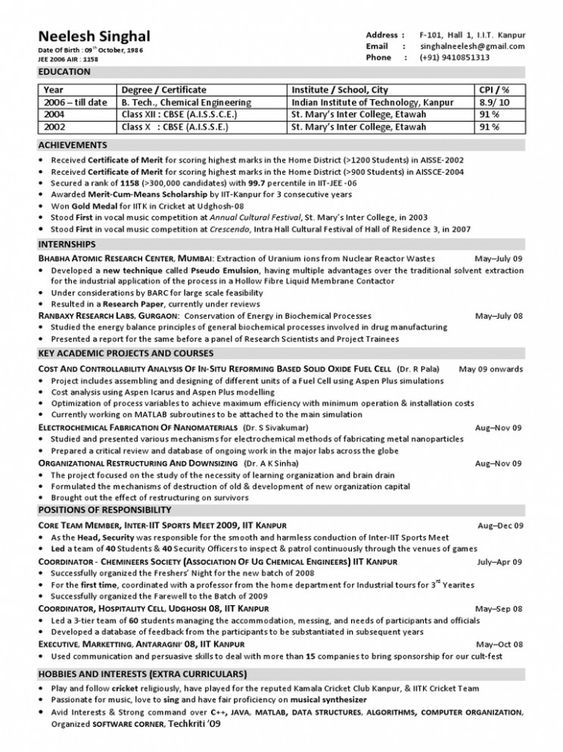
College Student Resume Example

College Student Resume — Clean chronological format with education first

Naukri

College Student Resume

Chronological · 1 Page

Resume
Fresher Resume Template

Fresher / Entry-Level Resume — Skills-first layout for no-experience candidates

Internshala

Fresher Resume

Functional · 1 Page

Resume
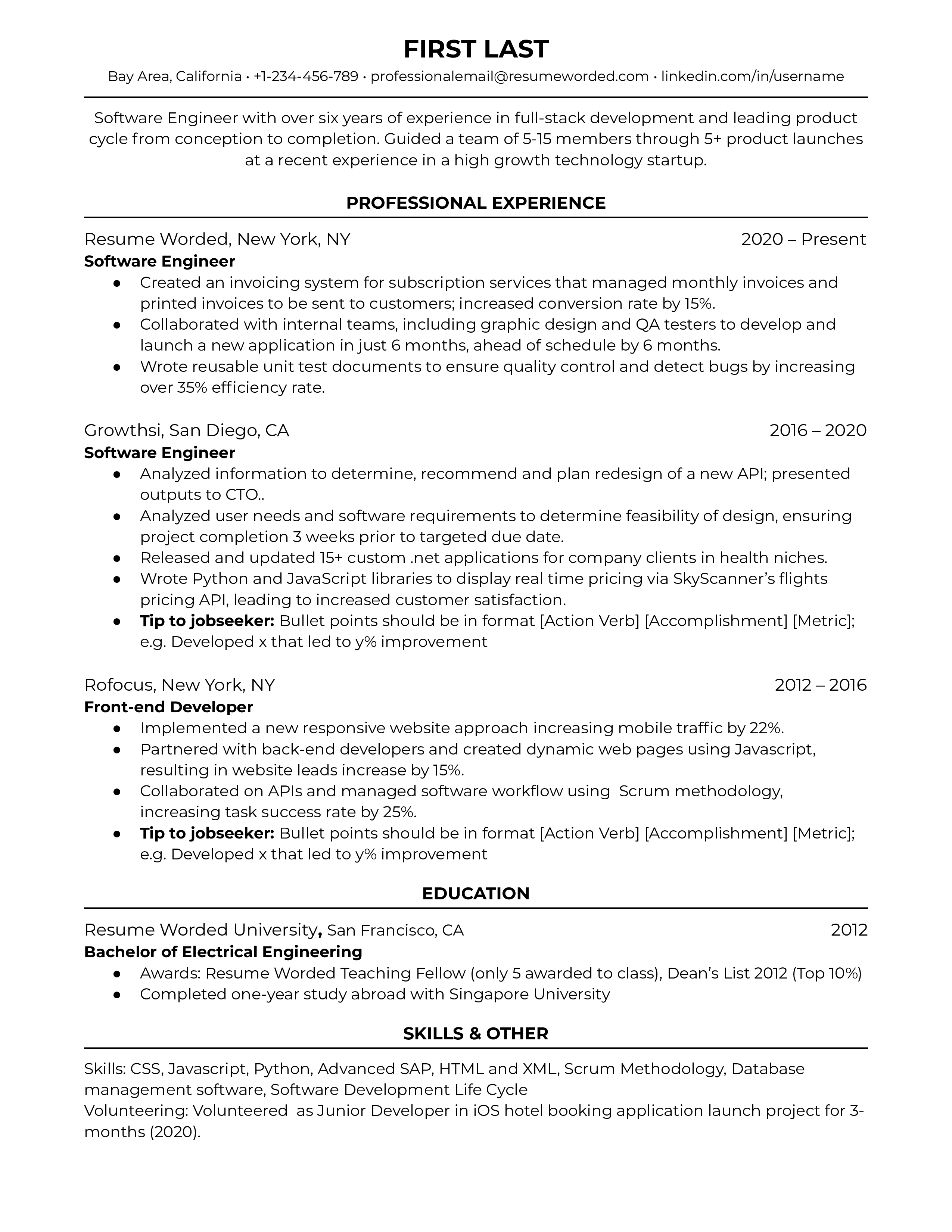
Software Engineer Resume

Software Engineer Resume — Strong technical skills section with GitHub projects

Resume Worded

Software Engineer Resume

Combination · 1–2 Pages

Tech
Jake's Resume LaTeX Template

Jake's Resume (LaTeX) — The most popular free template used by FAANG applicants

Overleaf

Jake's LaTeX Resume

ATS-Optimized · 1 Page

LaTeX
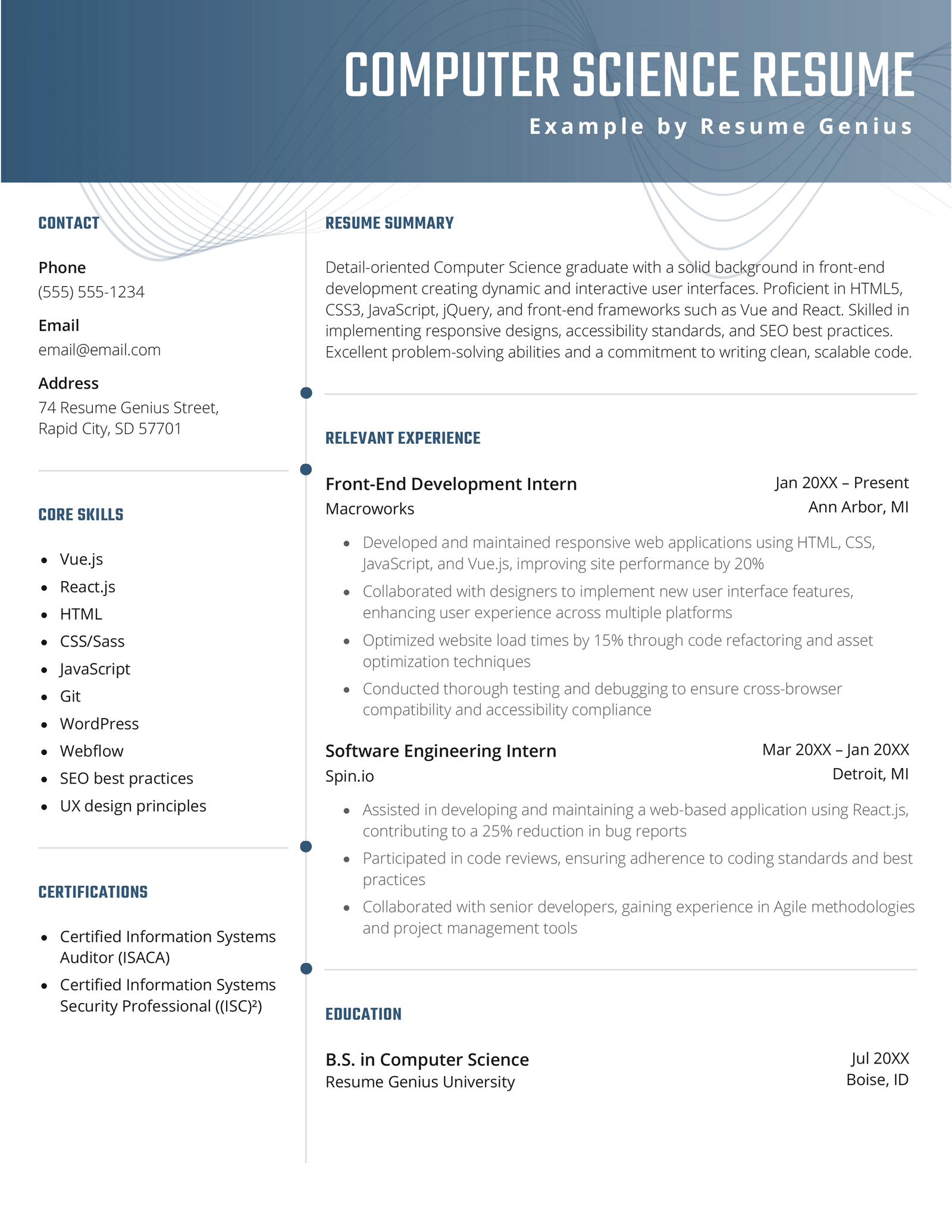
Computer Science Resume

CS Student Resume — Education + Projects format used for campus placements

Resume Genius

CS Student Resume

Chronological · 1 Page

Tech
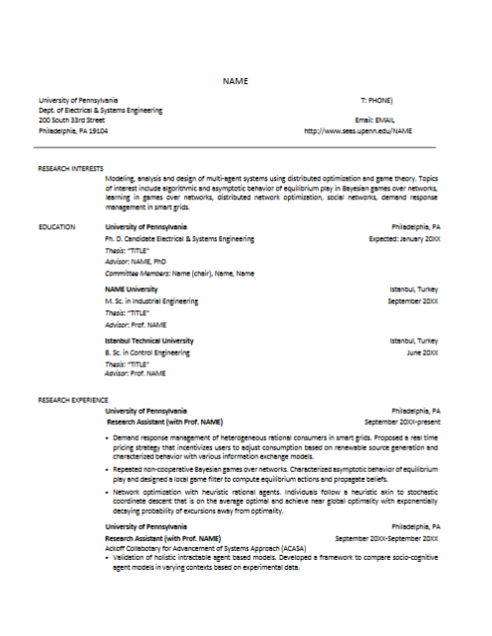
Academic CV (PhD) Example

Academic CV — Full-length format for MS/PhD applications with publications section

University of Pennsylvania Career Services

Academic CV

Full CV · 3–5 Pages

CV

Images sourced from Resume Genius, Zety, and Overleaf. Click hover overlays to visit originals.

Common Questions

Should I use a resume or CV for campus placements in India?
Always a resume for campus placements, internships, and corporate jobs in India. Keep it 1 page if you're a fresher. A CV is only needed if you're applying for research internships, MS programs, or faculty positions.
What is ATS and why does it matter for my resume?
ATS (Applicant Tracking System) is software used by companies to filter resumes before a human reads them. It scans for keywords from the job description. To pass ATS: use standard section headings, plain text formatting, avoid tables/graphics, and mirror keywords from the job posting.
What is the best free tool to build a resume?
For most students: Overleaf (Jake's Template) is the gold standard for tech roles. Canva works for design/creative fields. Google Docs with a simple template is a safe, ATS-friendly fallback. Avoid Canva for ATS-parsed applications.
My CGPA is low. Should I still put it on my resume?
If your CGPA is below 7.0, you can omit it and let your projects and skills speak for you. However, many companies — especially service companies (TCS, Infosys, Wipro) — have a minimum CGPA cutoff and will ask for it on their portal regardless. Always be honest if asked directly.
I have no internship experience. What should I put?
Focus heavily on personal projects — 3 to 4 well-described projects can outweigh a short internship. Include open-source contributions, hackathon participation, college club leadership, freelance work, or course certifications. Even strong competitive programming profiles (LeetCode, CodeChef) signal dedication.

Want Us to Build Your Resume?

Our team of placement-experienced seniors will craft an ATS-optimized, recruiter-approved resume tailored to your target role — in under 48 hours.

48h

Turnaround time

Revision rounds

ATS

Optimized & tested